iPhone 6S Battery Problems
3 months ago, the day it was released, I bought a brand new iPhone 6S. And I’m not ashamed.
But it recently started shutting down as if the battery were drained, without warning. Attempts to power it up would show the standard “Dead battery, plug in to a lightning cable” screen:
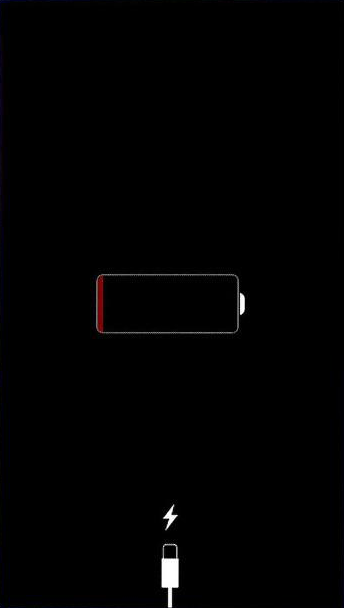
Plug me in if you want to see your phone again
After a few minutes in my pocket I would be able to turn it back on. Battery would be where it was before, perhaps in the 40-80% range typically. I should mention this happened on cooler days, so to me this all smells like it’s temperature related with a faulty bit of hardware thrown in the mix.
When I visited the store, Apple did some diagnostics that shows the battery hardware was all good and told me to wipe the phone and use it as a new one. After some resistance from me to that idea they told me to restore from a backup, which I did last Wednesday after 3 occurrences of this failure in one morning.
It seemed the phone might be working after that. Until this morning, only 4 days later when, with 46% power, the phone just died while I was writing a text.
This was in the logs when I was able to power it back on some 10 minutes later:
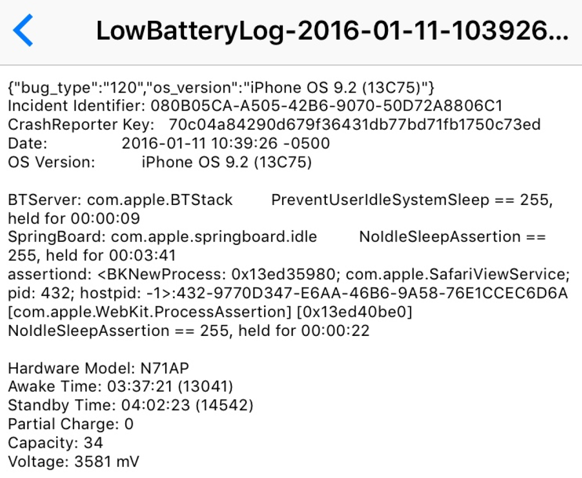
BOOM!
So I went back to the Apple Store. This time they insisted that I wipe it and use it as a new phone. Apparently, since I have messages going back to 2011, the cumulative backups since 2011 were probably (definitely, in their mind) causing this problem.
Ok, I can buy that, up to a point.
But here’s the point I stop buying their explanation: in a sandboxed environment how can 3rd party apps cause an iPhone to just shut down suddenly? An individual app’s settings and local file storage (which is what gets thrown into a backup via iCloud or iTunes) surely cannot do something like convince the phone that its battery is empty.
Now I have an empty phone. I can reinstall the apps, and re-log in to stuff, although it really will take me a long time (I had way too many apps on there, so perhaps I needed this), but here’s what I’ve just realized.
- I’ve lost all my HealthKit data.
- I’ve lost Message history (annoying, but I could use PhoneView).
- I’ve lost Apple Watch backups (annoying, but I don’t really care).
I’d be really interested to hear theories on how 3rd Party Apps could cause a problem like this. Like I said, to me it seems anecdotally that I’ve got a phone with a faulty hardware component somewhere that causes it to shut down when the temperature drops much below 40 degrees Fahrenheit.
By the way, did you know the iPhone isn’t supposed to operate below 32ºF? Now, isn’t that a treat for us in the North East United States?